
Multi-Monitor Routing is Here!
Version 1.4 September 20, 2019.
This release doubles your routing power by doubling your monitors!
Multi-monitor Routing
Have you ever felt your map and your grids were competing for space, and that you just needed a bigger map? Well, today is your day. You can move your map to a second monitor! This feature works for both Shipment Management and Route Planning.
To move the map to a second monitor, follow these steps:
- Press the “Pop Out” button located in the upper right corner of the map.
- The map will pop into a new window.
- Drag that new window to your other monitor and maximize it.
To restore the map to its original position, click the “X” in top right corner of the map window.
For a quick demonstration, watch this video:
Route Optimization is now Dynamic
Status Notifications
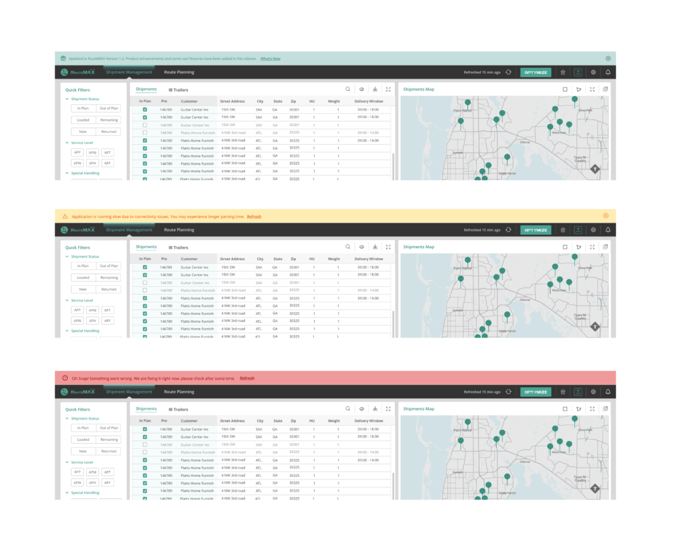
When there’s something you need to know (new features, data problems, etc.) we’ll put a message at the top of the screen.
Green: Good news & new features!
Yellow: Temporary data slowdowns & minor problems.
Red: System outages. We strive to make these events rare, and to fix them immediately.
.
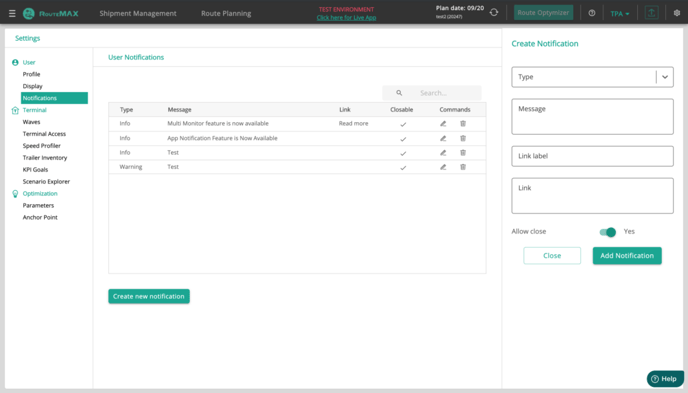
Status Notification Creation by Administrative users
Other Improvements & Bug Fixes:
As always, we made some behind-the-scenes improvements to make RouteMAX work better and faster for you.