
More feedback for a Better Experience!
Version 1.3.9 September 9, 2019.
This release focuses on getting our users’ demands into our product. We made many internal fixes to give you better on-screen feedback.
Highlighting of New Shipments
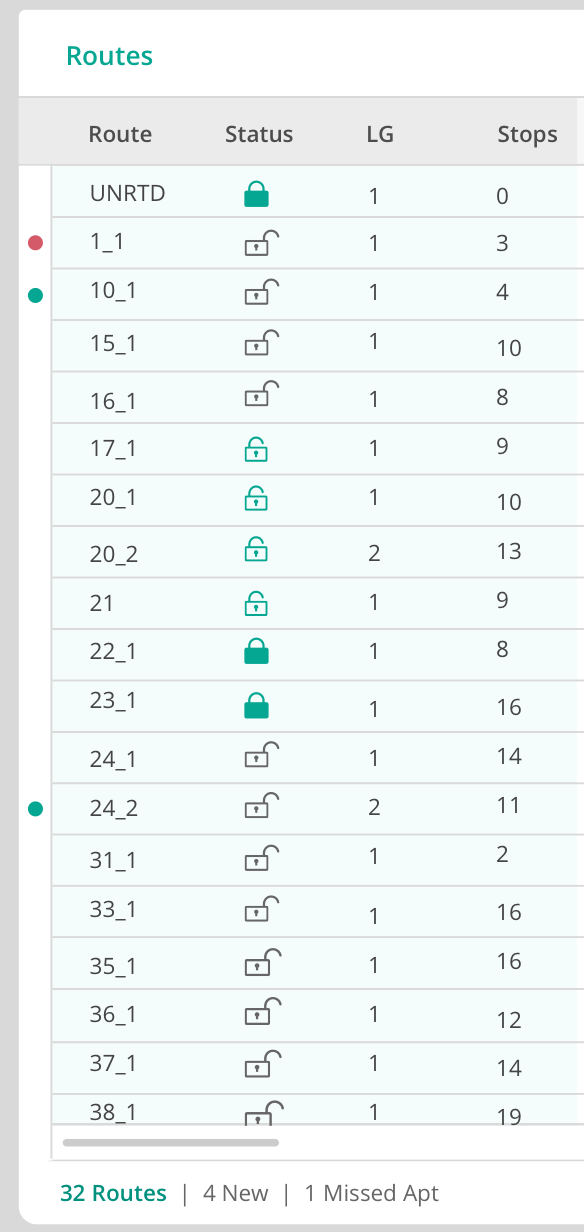
Whenever a new shipment comes into RouteMAX, you will see a green dot in the left margin. The green dot will appear in the Shipments grid, the Routes grid, and the Stops grid.
On the Route Planning tab, any route containing a new shipment will have a green dot. But, if a route also has a violation (e.g., late appointment stop), the usual red dot will cover the green dot.
Once you click on a route containing a new shipment, the green dots for shipments on that route will disappear from all grids.
Confirmation Before Deletion of Users
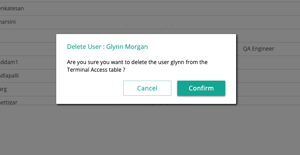
To prevent errors, we have added a confirmation button just in case you start to delete the wrong user.
User Persistence of Shipment Data
Any changes you make to column position or width will now stay put. Routemax will remember how you like your columns, and keep them that way the next time you log in.
Bug Fixes:
We have made minor user interface improvements to make routing easier.
We’re listening to you, and we welcome more feedback. Please keep it coming!