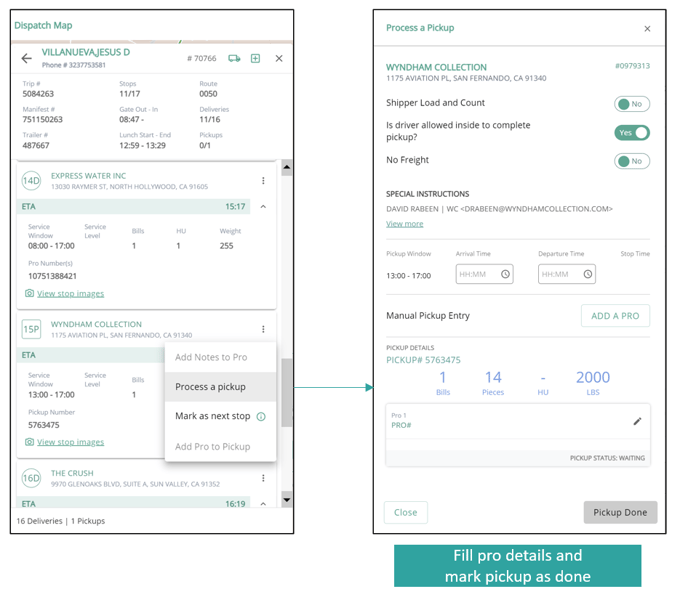
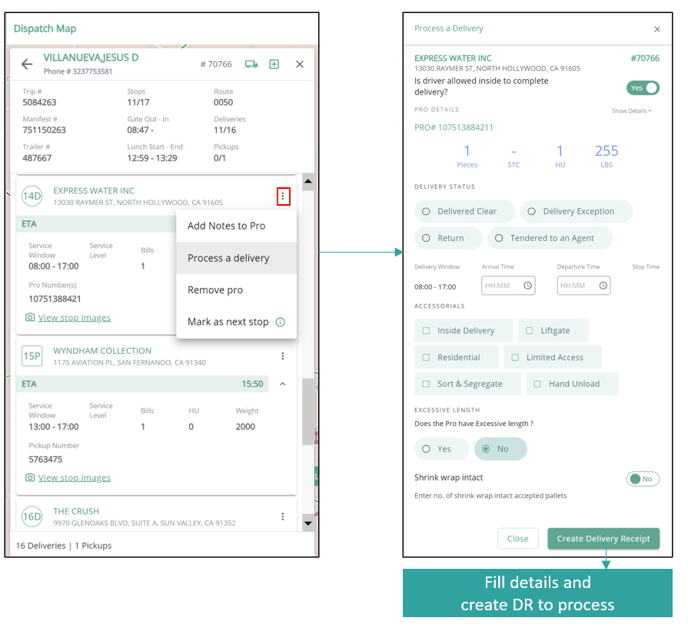
In case where drivers can’t complete the stop through the handheld device, dispatchers can process a pickup/delivery stop on behalf of the driver. For doing so, go to the stop in the stop sequence and navigate to the three dots option. Select the option to process the pickup/delivery.
Fill in all the required info and click on process.
For deliveries:
For pickups: