
Important Incremental Improvements
Version 1.5.0 November 28, 2019.
User-Editable Trailer-to-Route Association
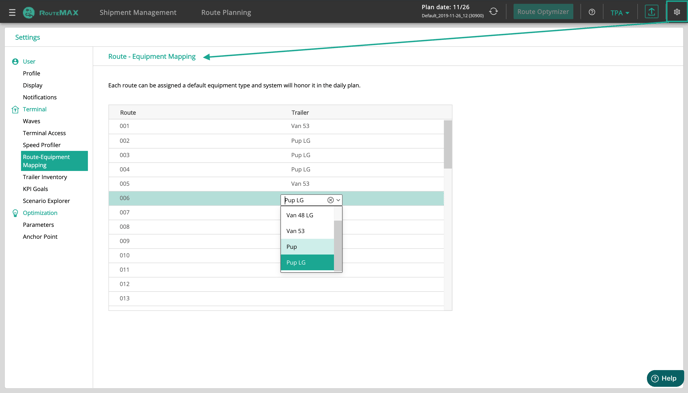
Users can now manage the type of trailer assigned to each route in the Settings menu (click button in the upper right corner).
Double-click under the “Trailer” heading and select the type of trailer that belongs on a route. Starting the next business day, that type of trailer will be on that route when RouteMAX starts.
If a trailer type other than the one in Settings is needed for a day, edit the trailer type in the Routes grid. To permanently delete a trailer type assignment, click the “X” in the dropdown menu.
Better Inbound ETA Estimation for Better Dynamic Routing
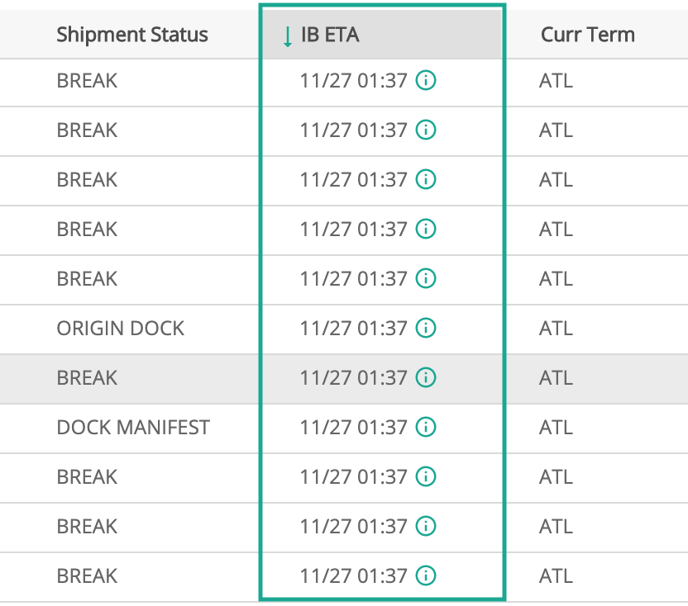
Bills not yet on the final dispatch leg into the delivering terminal get an estimated arrival time, as indicated by the green circles to the right of the ETAs. We just refined that logic to consider more real-world factors.
One result of this change will be better Dynamic Routing. Previously, the Inbound ETA logic sometimes erred on the side of later arrivals, unrealistically constraining the Dynamic Routing logic. Look for better results with this change.
Compatibility with Other (non-Chrome) Browsers Fixed
Some features of RouteMAX were acting slightly odd in browsers other than Chrome. Although RouteMAX is “tuned” to work best with Chrome, we made some adjustments so Firefox and Edge users will also enjoy the same frustration-free experience.
Please report any future browser-related issues using the Help button so we can fix them too.
Rapidly Changing Anchor Point Status Will Have a Slight Pause
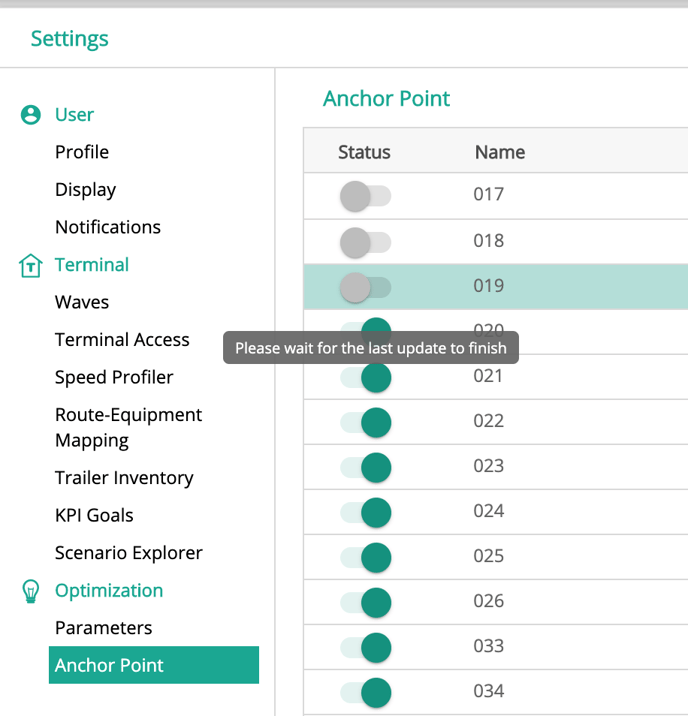
Previously, turning multiple anchor points on or off very quickly could “outrun” the data connection. RouteMAX did not have time to process one change before the next came through.
RouteMAX now enforces a very brief pause before the user can update the next anchor point. The pause is so brief that most people won’t be able to read the popup, which says, “Please wait for the last update to finish.”
Generally Improved Dynamic Routing
We made some subtle improvements to Dynamic Routing to make it work even better when used in smaller terminals, or when applied to only a handful of routes in a larger terminal.
Other Improvements & Bug Fixes:
As usual, we made several other technical improvements to make RouteMAX run just a little bit better. These under-the-hood tweaks will give users a better experience and performance improvement.