
After successful login, users would land on the IB planning module of RouteMax. Click on the hamburger icon on the top left corner and select the dispatch module. Dispatchers then would be navigated to the Route Execution grid in the dispatch module.

This would be the primary page where all the major operations throughout the day can be performed.
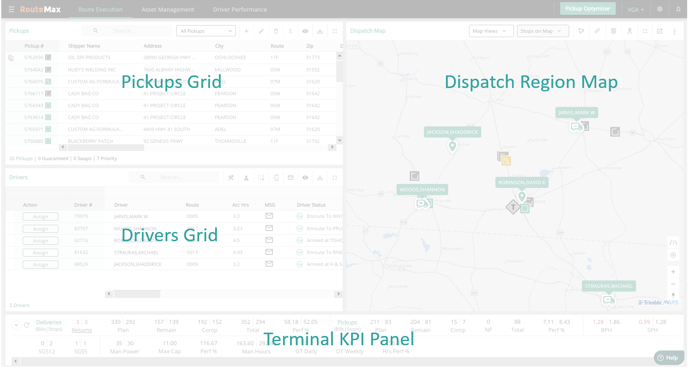
There are 4 main parts to this tab. The pickups grid, the drivers’ grid, dispatch region map and the KPI panel. RouteMax supports multi monitors, hence dispatchers can pop the map out and place on another screen. There are two additional tabs, namely asset management and driver performance. Please find more details on each of these grids/tabs in the subsequent sections.