
Merge Routes, Print Routes, Delete Routes and more
Version 1.3.3 July 16, 2019.
This release focused on adding new features to give you more tools to achieve the best results. We have also fixed some minor bugs to further improve your experience.
Merging Routes
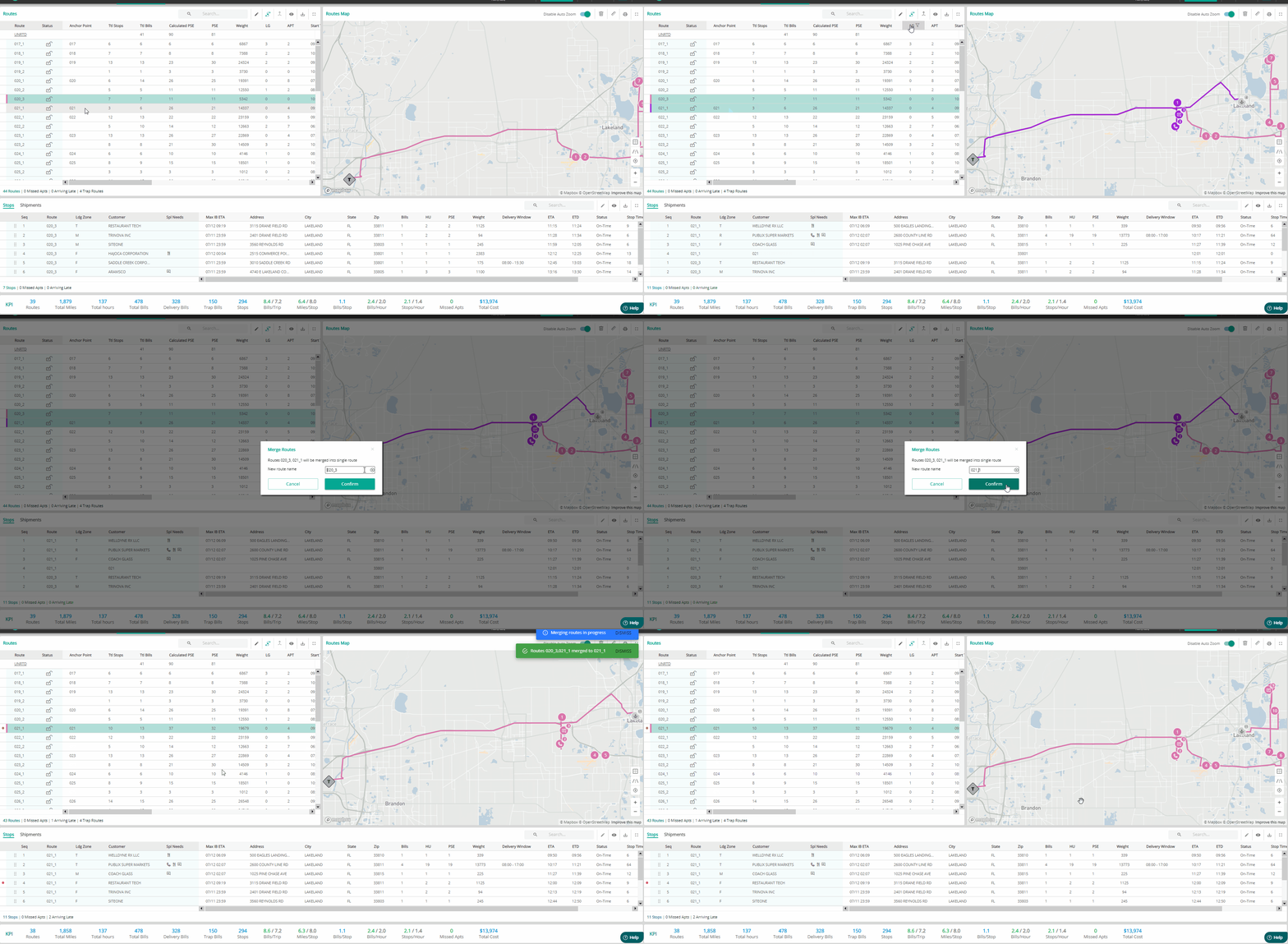
Merge routes option will help you merge two or more delivery routes into a new route or an existing one.
To merge routes,
- Select the delivery routes you want to merge
- Click on the icon on the grid header
- Name the new merged route with an existing route or a new route.
Print routes on Map
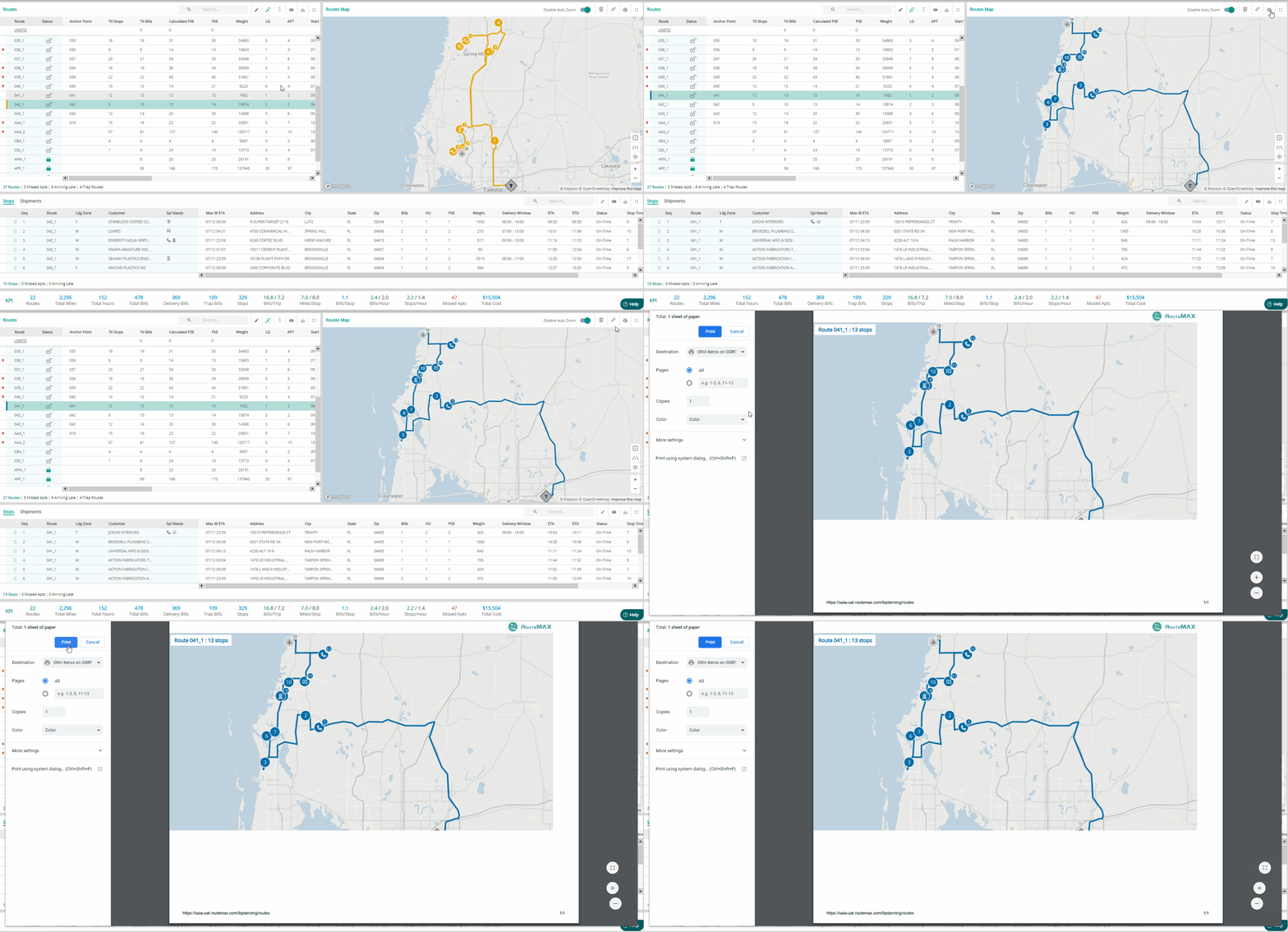
You can now save the routes on the map as a pdf file and choose to print it.
This can be helpful for the dockworkers and the drivers to know the sequence in which the route should be executed.
Undo a bad stop move
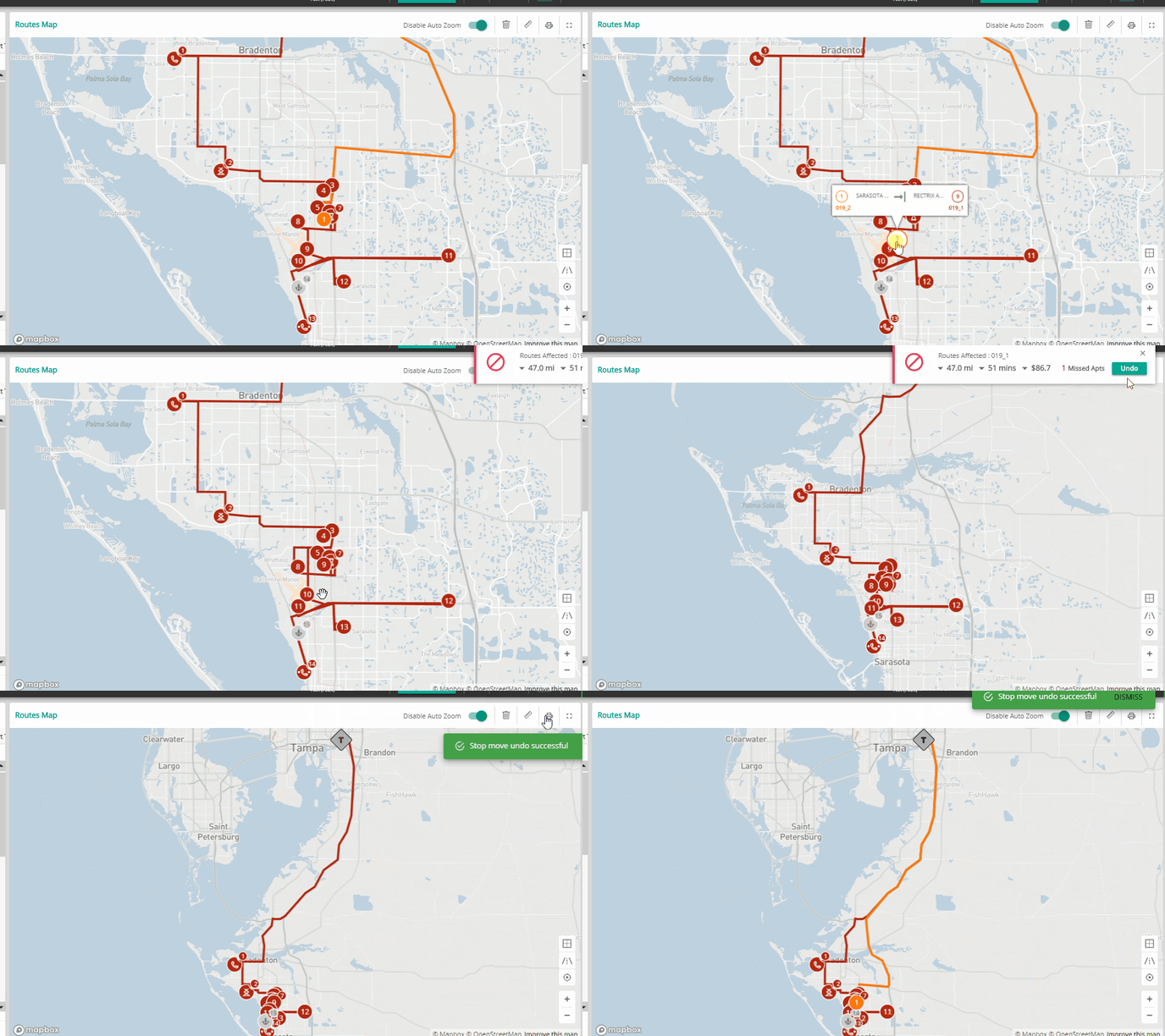
Didnot like your last move and want to go back?
Our newly added UNDO feature on the feedback panel allows you to revert your moves. Feel free to experiment with your routes as now you can undo the errors.
At the same time, we have also improved our drag and drop feature on the map. Now you can achieve results quickly without experiencing any lag.
Update incorrect customer locations to plan better
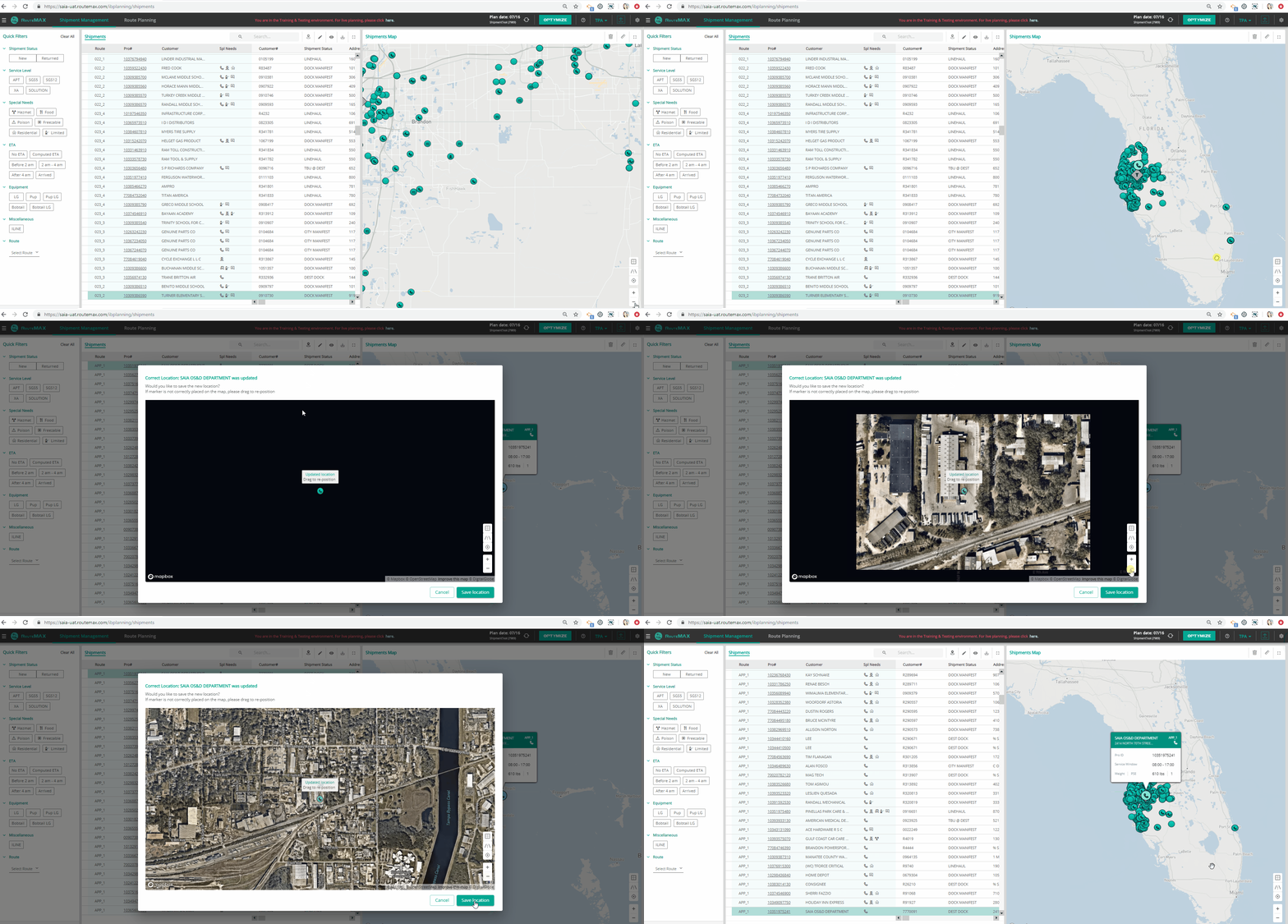
We understand some addresses can be incomplete or incorrect. Map provides you a clear visibility into these addresses. Now you can correct these locations in a click.
To update a location:
- Select the incorrect location either on the map or on the grid.
- Click on the Location icon on the grid header.
- Confirm the updated location by checking on the map.
- Save the updated location by click on Save Location.
No Password required to access the Help section
We apologize to make you enter a password to access the help section.
It was necessary to beef up the security to protect sensitive information but no more at the cost of unintervened user experience. Now you can securely access the Help section without entering any password.
We got the art of balancing security and user experience eventually. Hope you enjoy it!
Improved PSE (Pallet Space Equivalent) Calculation
Updated our PSE calculation logic to provide better results.
Automated Route Deletion
When a route has no stops associated with it, the route gets automatically deleted.
Bug Fixes:
- Fixed stop popup display issue on the map
- Fixed active scenario data update issue while copying scenario
- Fixed stop move failure on the map