
Lasso Select is Ready! * * * Time to Celebrate * * *
Version 1.3.7 August 21, 2019.
This release focused on ease of use and putting better information at your fingertips. We have also fixed some minor bugs to further improve your experience.
Lasso Select Or Route Assignment on the Map
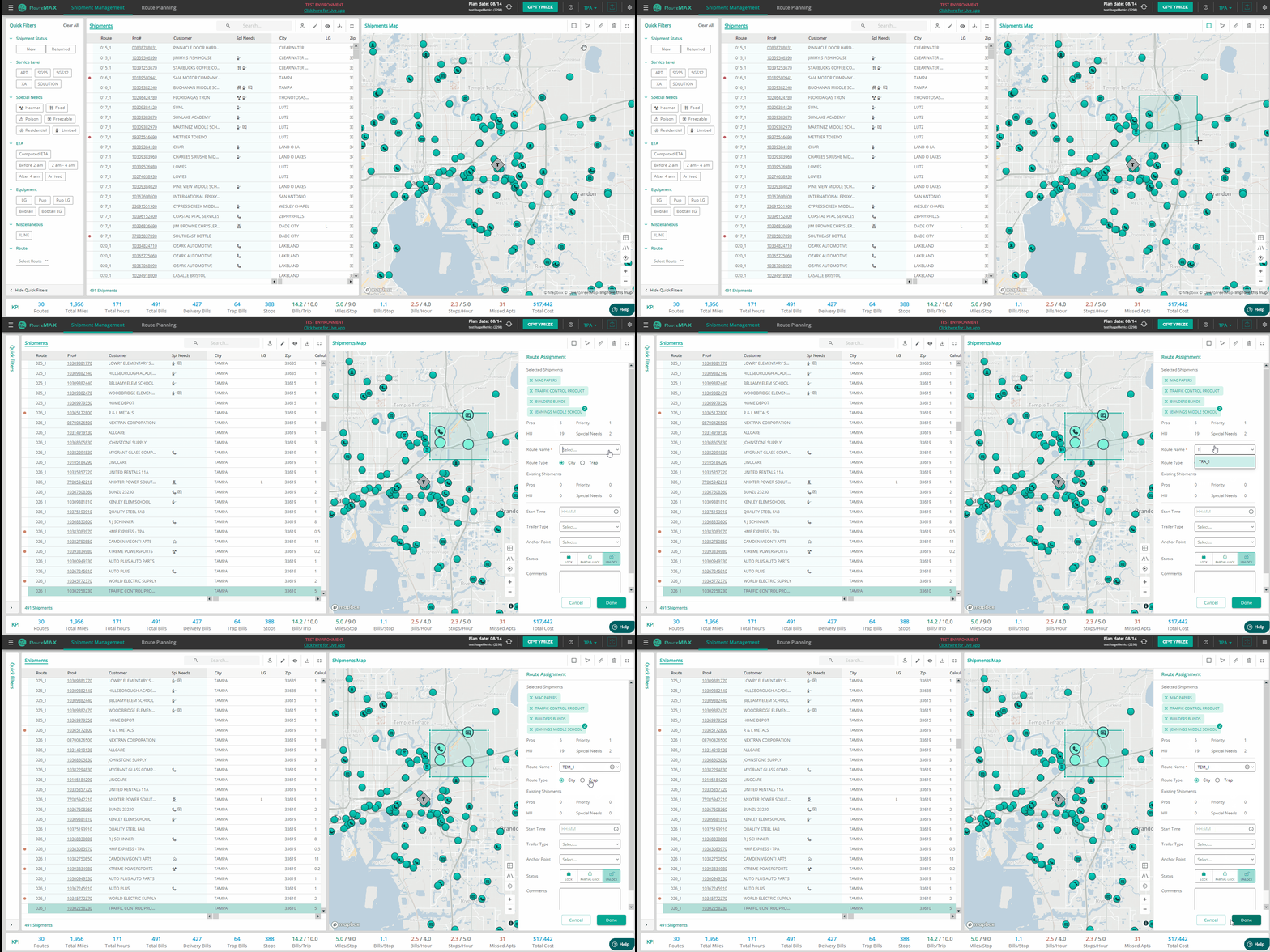
You can now select multiple shipments or stops on the map by enclosing them in a rectangle or a freeform shape. After selecting them, you can move them onto a new route or an existing route.
To lasso up some stops,
- Click one of the lasso icons on the map panel (left for rectangle, right for freeform).
- Click and/or drag on the map to select some stops. (To exit the freeform version, double-click your mouse.)
- Choose a route for the selected stops in the panel that pops up on the right. You can also create a new route name.
- The panel gives statistics about the selected stops. There are also places to change some settings, such as Start Time or Trailer Type, but these are optional.
- To remove a shipment or stop from the selection, click the “X” beside the consignee’s name.
Staggered Start Times for Routes in Same Door
If, during optimization, the logic splits an overloaded route in half, the two routes will have different start times. This change prevents solutions that require two routes being loaded in the same door at the same time. Users should still review all route start times, as always.

Indication if Inbound ETA was Calculated
If a shipment is on the road dispatched to your terminal, we use the standard linehaul ETA as the IB ETA. But, if a shipment is not yet on the final linehaul leg to your terminal (it’s on another terminal’s dock, or being driven to a meet point), we estimate the arrival time into your terminal.
When the time in the IB ETA column was computed by RouteMAX, we now show a little green marker next to the time.

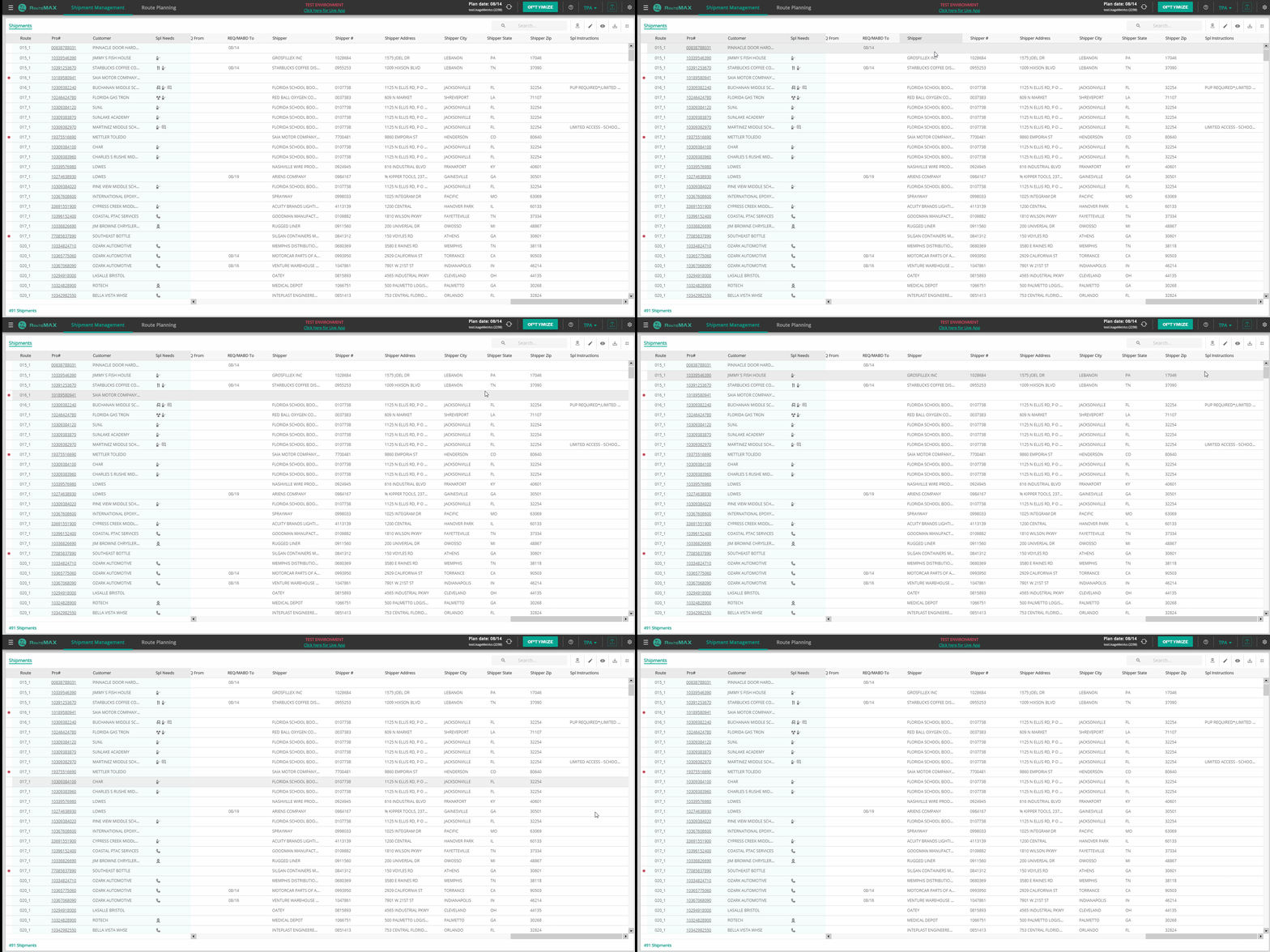
Shipper Information for Each Pro
We’ve added shipper information for each pro, so you can see where the freight is coming from. Each item—name, address, zip, etc.—is in a different column, so you can show or hide the parts you want.
Bug Fixes:
- Corrected minor inconsistencies between different optimization modes.
- Blocked updates of customer location from stop move dialog box if stop was not actually moved.